![hindiste-logo.png]](https://portal.fieldcentral.com/hs-fs/hubfs/HindSite/hindiste-logo.png?height=40&name=hindiste-logo.png)
We are excited to share with you the updates included in this release for FieldCentral. The announcement will be broken up into three sections: Updated Features and Resolved Issues.
We greatly appreciate any time you invested in order to either report an issue or request an enhancement. Your feedback is highly valued!
UPDATED FEATURES:
The following are updates to existing features that are intended to enhance the quality of life for our clients.
-
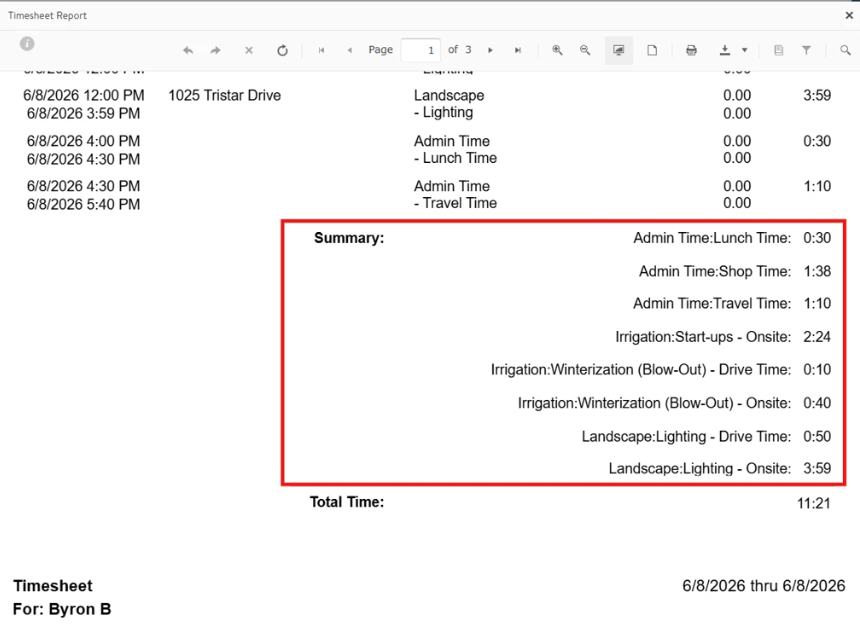
The Timesheet Report now has an option to summarize time by Service Category or Service, and Admin Time Types (e.g. Shop Time, Lunch Time, Travel Time). This can help summarize time for different departments or groups and give a more detailed breakdown of Admin Time.
-
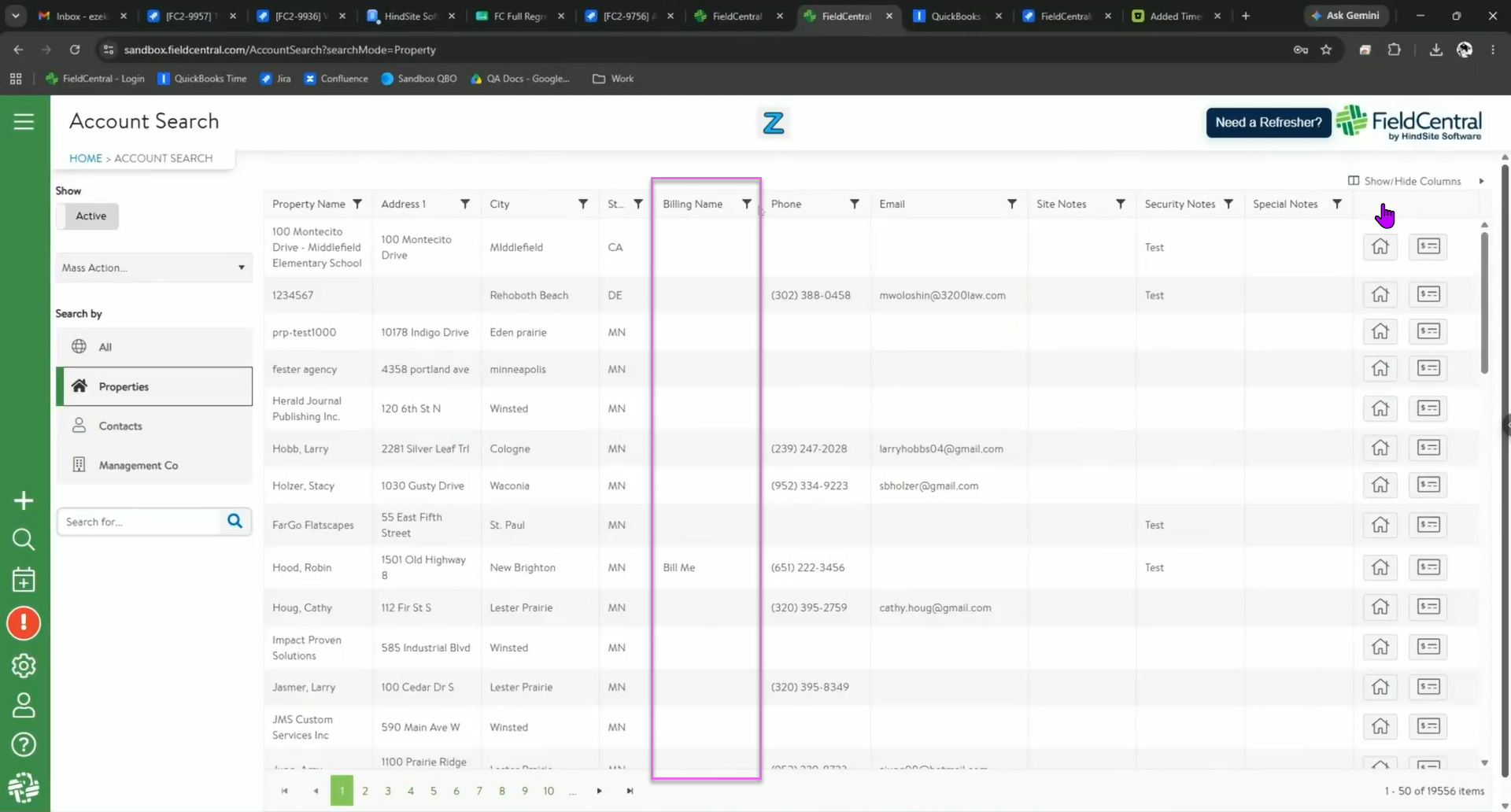
For QBD clients, a new 'Billing Name' field was added to the Property. If this field is populated, it will be passed into QBD Invoice Billing Address area as the first line.
-
For QBO clients, the 'Billing Name' will populate the 'Company Name' field within QuickBooks, which is used in both the Service and Billing address blocks.
RESOLVED ISSUES:
The following are client-reported issues and HindSite Software discovered issues that have now been resolved.
- Resolved the occasional issue where the generic template was not selectable when sending texts via the Schedule screen.
- The Visits to Do page will no longer show HTML coding with phone numbers.
- Creating QBD Pending Invoices from FieldCentral with PO #'s will now be successful.
- Estimate PDFs no longer display an invalid license watermark.
- Color Rules pins on the Visits to Do mass scheduling screen reflect the correct color.
- Resolved an issue on the Accounts screen where certain UDF filtering would not allow mass emailing.
- Users can now export multi-select UDFs from the Accounts page.
- Resolved an occasional issue where users could not reschedule incomplete visits.
- QBO integrations were failing due to the integration authentication/communication (i.e. handshake) between the two systems. This was solved by users logging out of the QBO integration within FieldCentral, and then logging back in to QBO integration to reset the connection
- RouteBuilder's filter by Service will now work as expected.
- When mass-scheduling Visits to Do's and switching days, the map will correctly keep the scheduled pins off the map.
- RouteBuilder template names and descriptions can now be successfully edited and saved, and they can be deleted.
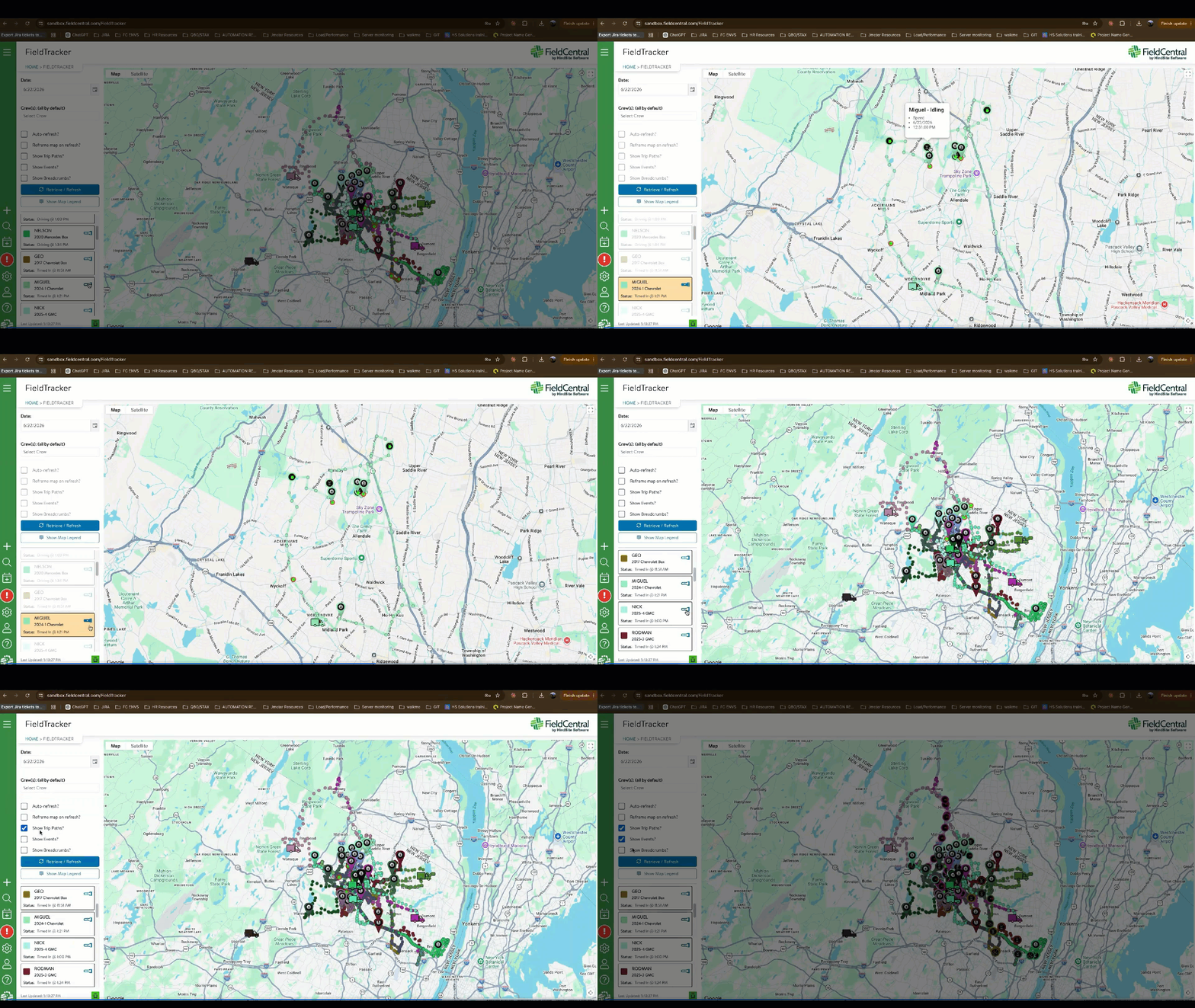
- Improved performance of the FieldTracker page, and addressed an issue where the map would occasionally default the view into the sea. The 'Show Events' and 'Show Breadcrumb' options will be 'off' by default, and users will be warned if there are a large number of map elements about to render on the page - potentially impacting map & browser performance. Users can now click on an individual crew/vehicle to only see their data on the map.
We encourage YOU to communicate with us as you discover features that would help you in your day to day business and let us know if you run into a system issue so we can quickly address it. We are here to help and make your life easier!
Please take advantage of the Help Desk when logged into FieldCentral if you do have an issue or you want to submit a new feature idea.