![hindiste-logo.png]](https://portal.fieldcentral.com/hs-fs/hubfs/HindSite/hindiste-logo.png?height=40&name=hindiste-logo.png)
We are excited to share with you the updates included in this release for FieldCentral. The announcement will be broken up into three sections: New Things, Updated Features, and Resolved Issues.
We greatly appreciate any time you invested in order to either report an issue or request an enhancement. Your feedback is highly valued!
NEW THINGS:
The following are new features that provide you with additional capabilities and functionality.
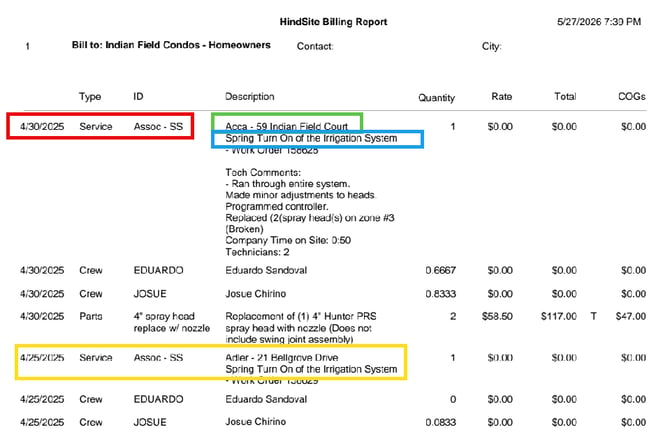
- Configuration option for a Management Company to group all Properties' billings into a single Invoice.
NOTE: Currently in BETA - Contact Product Specialist to implement.
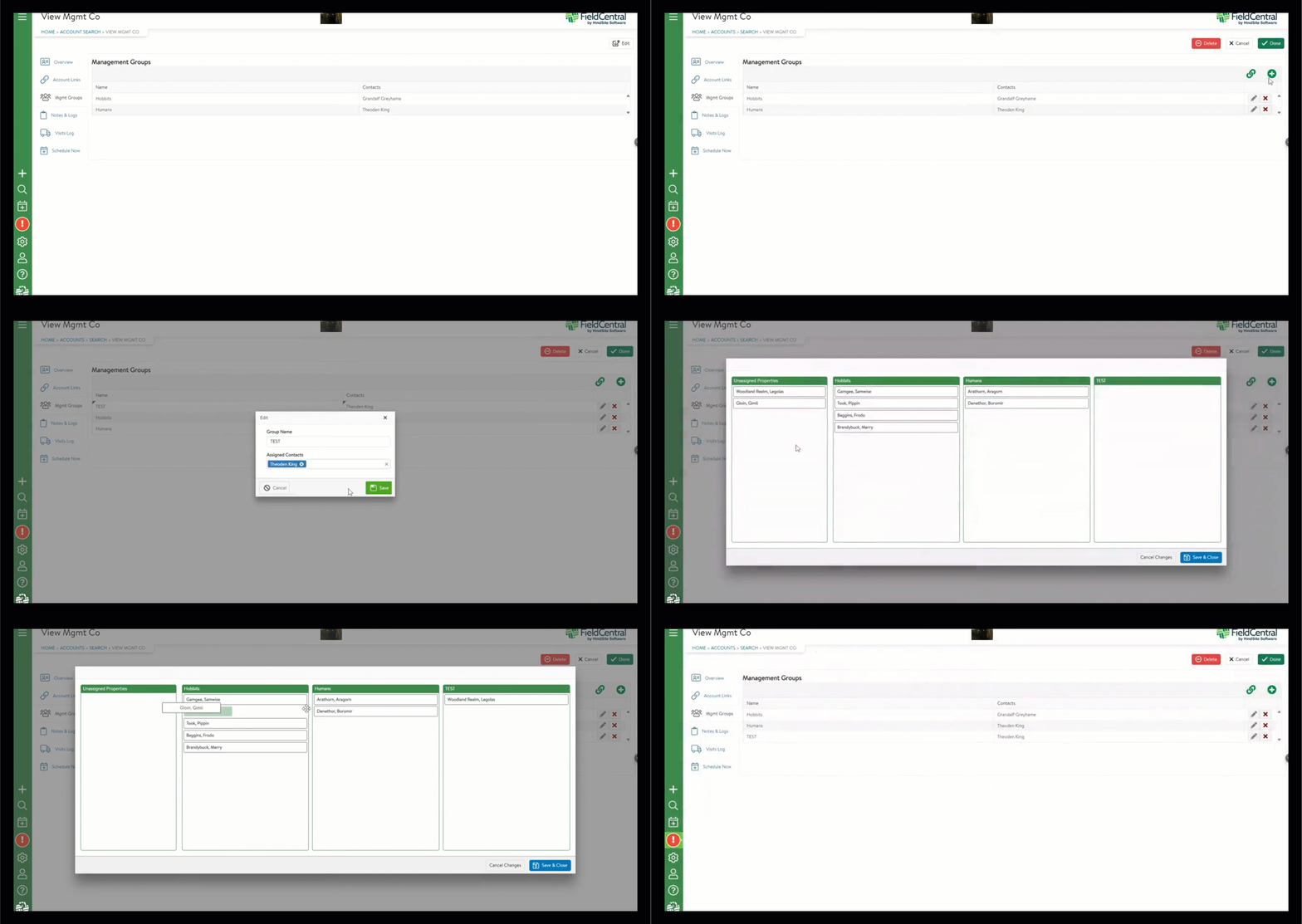
- Create Management Company Groups to assign multiple Contacts to a Property. Helps limit what Property communications (e.g. emails & text messages) get sent to a given group of Mangement Company Contacts.
NOTE: Currently in BETA - Contact Product Specialist to implement.
UPDATED FEATURES:
The following are updates to existing features that are intended to enhance the quality of life for our clients.
-
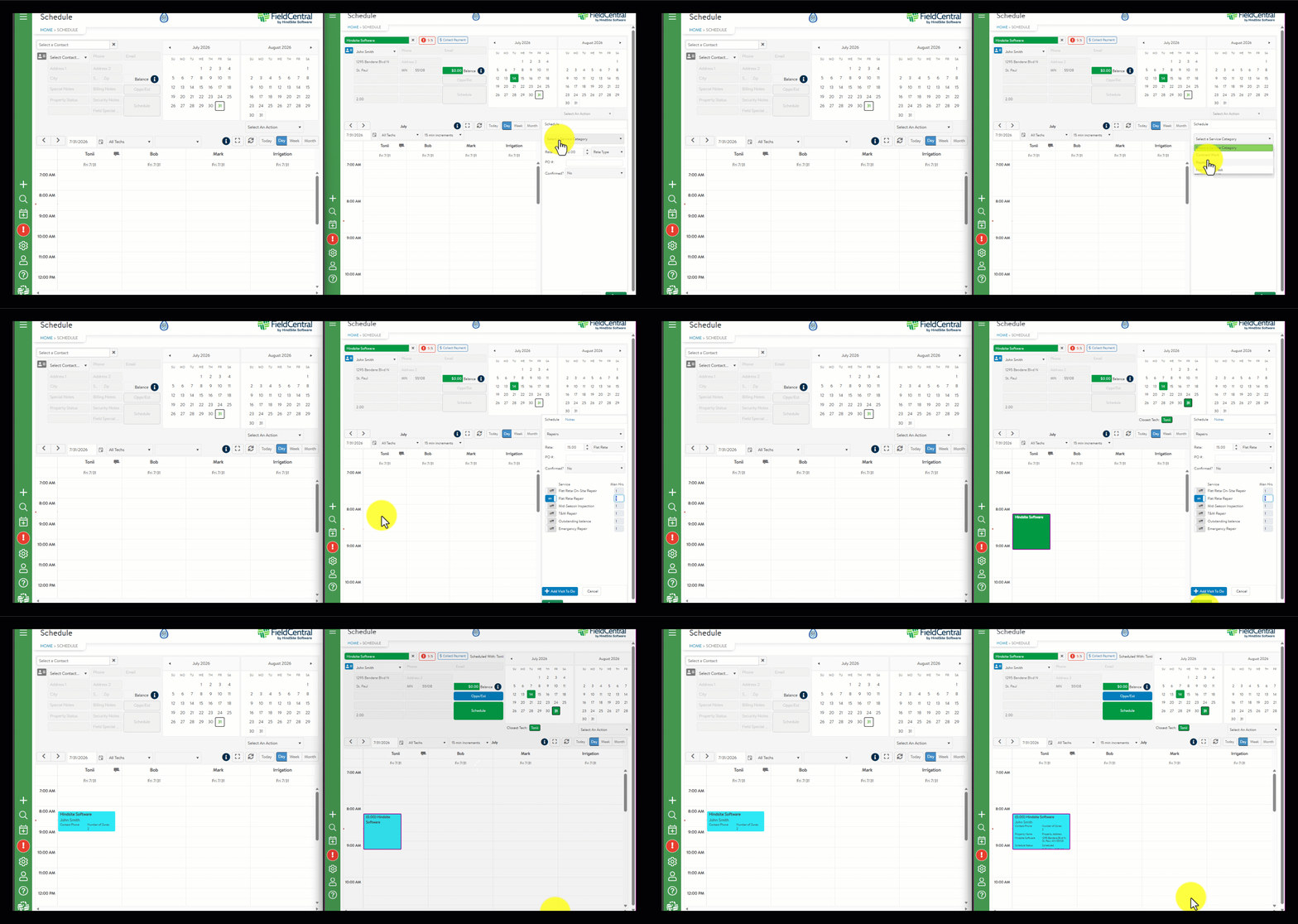
The Schedule screen calendar will automatically, and near-instantaneously refresh as other users adjust Visits on the Schedule. This include moving Visits within the same day, moving Visits to a different day, mobile users working on a visit, adjusting visit summary, etc. Users no longer need to manually refresh the Schedule page to see any adjustments made by their colleagues.
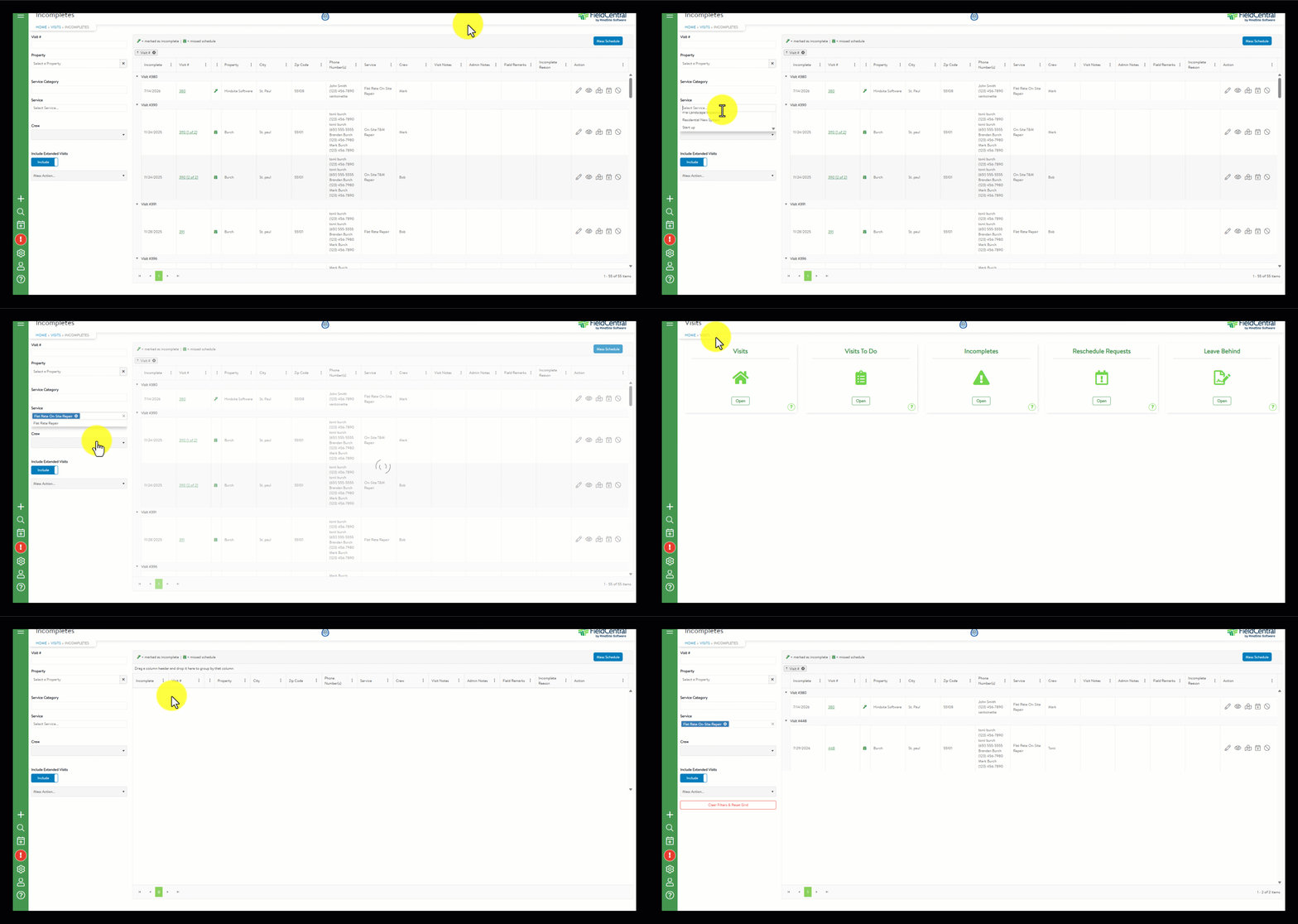
- When applying filters on the Incompletes page, those filters will continue to be applied as users navigate away and back to the page. These filters are saved to the local browser on the given machine via a cookie. This will not save changes for other users or across different browsers/computers.
-
Users can add a State column onto the Visits To Do page for display and filtering purposes.
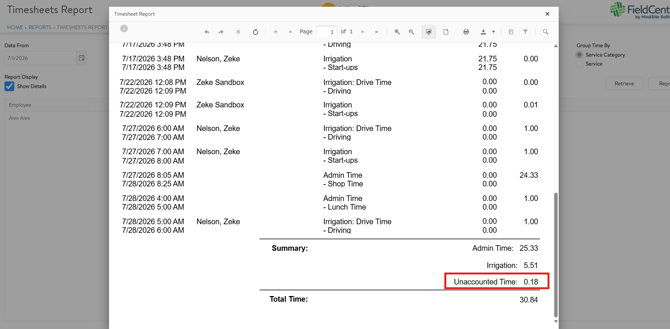
- The Timesheets Report has a new option to "Include Unaccounted Time in Total Time". When the option is enabled, the total time on the page and exportable report will include Unaccounted Time.
- When attempting to delete a Service on the Services & Service Category screen, the system will validate if there are any visits or other records attached to it. If there are, the user will be unable to delete it. If there are not, users can delete the record. This check will help prevent the creation of orphaned records.
- The Payment modal on the Schedule screen now has an option to delete/close an active payment link. When deleted/closed, the payment link is no longer available for the Customer to click or navigate to the payment page. This can be used to close an existing payment link and send to a different user, close the link if a payment was made in QuickBooks, resend if the amount changed since sending, etc. Future updates will provide an automatic way to address many of these scenarios.

- Improved the handling of Canadian Postal Codes for payments on the mobile app. Users will no longer need to manually adjust the postal code spacing to process a credit card.
- When sending payment links for invoices that contained a negative line item (e.g. prepaid service), every Invoice line item will now display on the payment link email & payment page.
- Improved performance of Property searches on the Account screen.
RESOLVED ISSUES:
The following are client-reported issues and HindSite Software discovered issues that have now been resolved.
-
Resolved an issue where tax was not applying or displaying on invoices.
- Creating a new Property with name that matches any that already exist, the newly entered entered phone numbers/emails will now be added to the existing contact. The address information will not overwrite the existing info.
- Resolved an occasional issue where Visits created on the mobile app would duplicate on the Schedule screen and materials were duplicated.
- Fixed an occasional issue where users could not enter values into the Credit Card fields on the mobile app to take a payment.
- Mass Schedule map will now consistently display Property Address data when hovering or clicking on a pin.
- When filtering or sorting numeric UDF fields via a column header, the resulting filter logic will be applied correctly and display records as expected.
We encourage YOU to communicate with us as you discover features that would help you in your day to day business and let us know if you run into a system issue so we can quickly address it. We are here to help and make your life easier!
Please take advantage of the Help Desk when logged into FieldCentral if you do have an issue or you want to submit a new feature idea.