![hindiste-logo.png]](https://portal.fieldcentral.com/hs-fs/hubfs/HindSite/hindiste-logo.png?height=40&name=hindiste-logo.png)
Materials associated with contracted visits are managed through a dedicated Materials tab in the visit summary, offering flexible options for tracking and adjustment.
Adding Materials
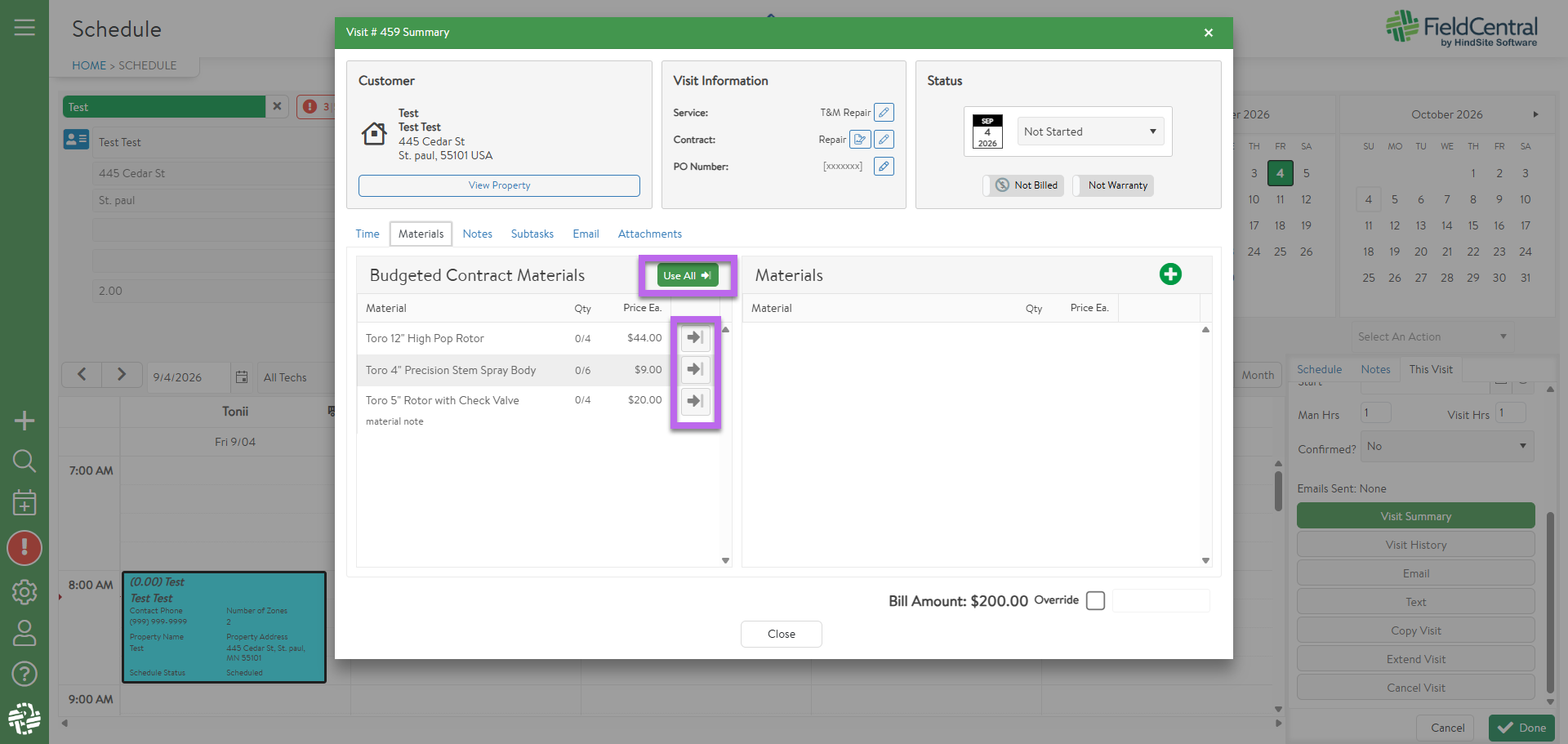
- Bulk or Individual Entry: Materials can be added individually with the arrow button next to the material or attached all at once using the "Use All" button.
- Ad-Hoc Additions: Non-contracted items can be added directly from your master materials list, automatically applying standard pricing.
Handling Quantity Overages
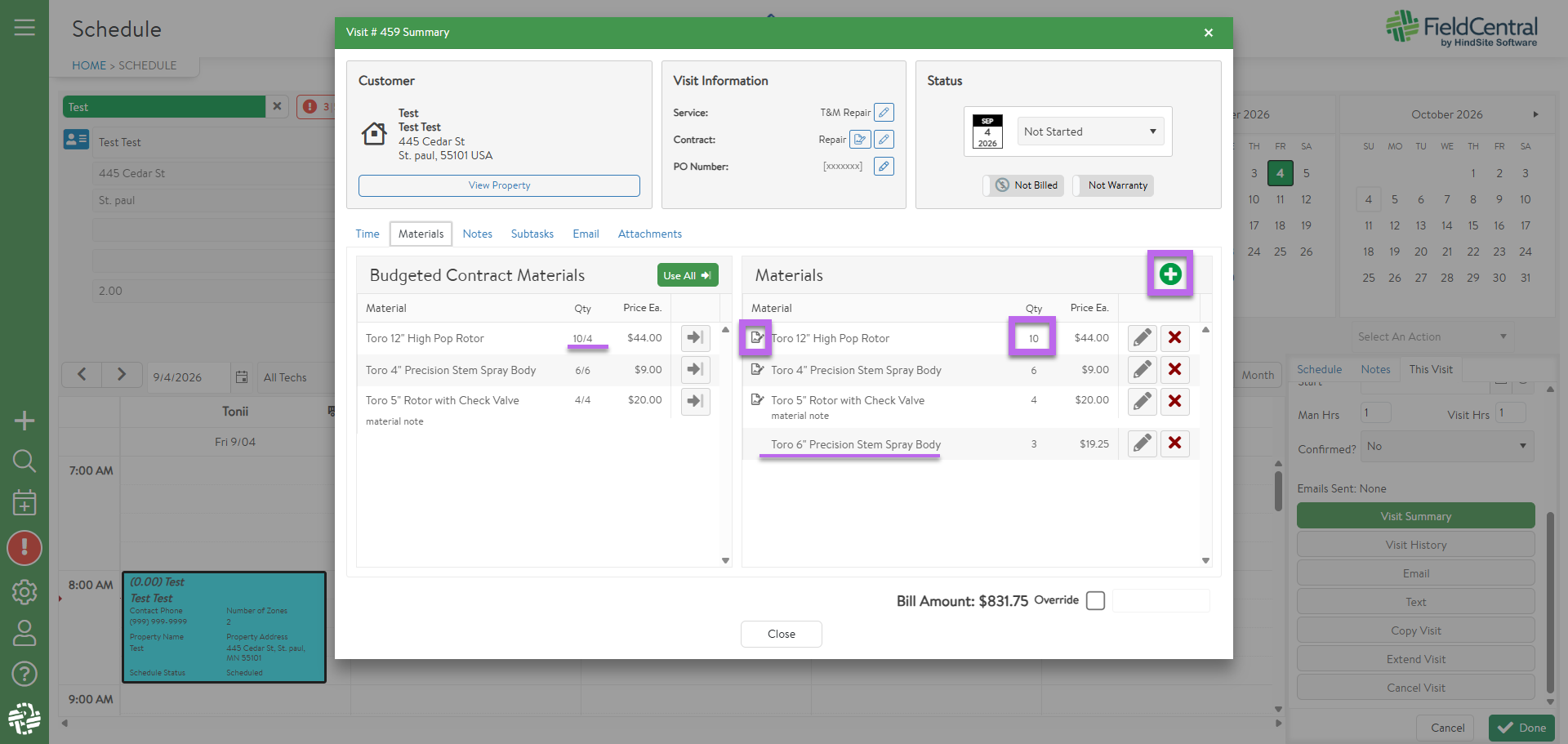
- Overriding Estimates: If job site usage exceeds the original estimate (e.g., using 15 spray heads instead of 10), you can manually override the quantity to reflect actual usage.
- Special Pricing: Additional quantities added above the estimated amount automatically retain any special contract pricing assigned to that material.
- Contract Icon: If a material has the contract icon to the left of it, it is utilizing contracted pricing for that material. If it is blank, it is utilizing standard material pricing.